Team management
Admins manage support-team memberships for the current tenant from Team.
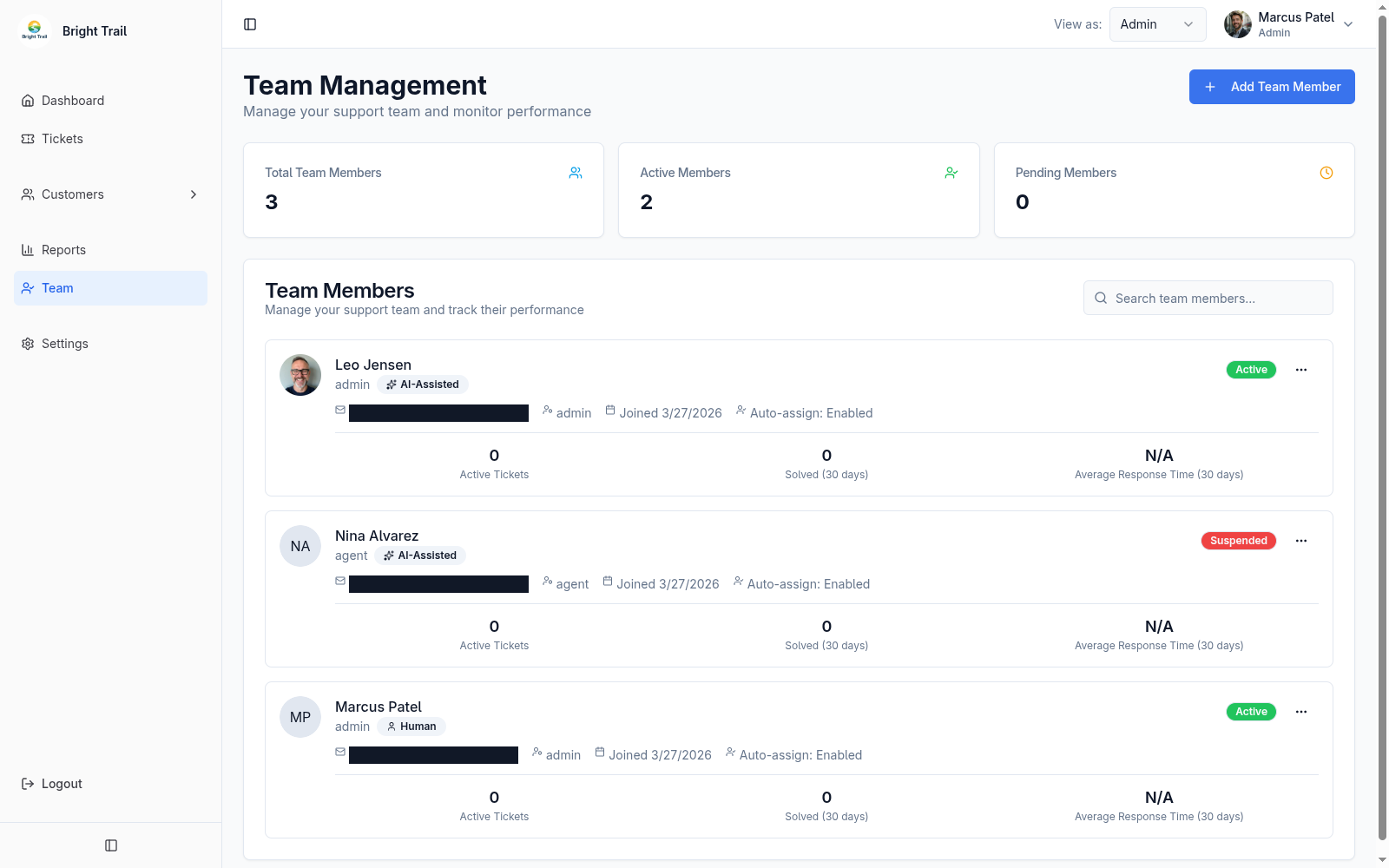
Team roles
Section titled “Team roles”- Admin: an agent with extra permissions to manage the tenant. Admins can work tickets and also manage customers, customer organizations, reports, team members, and tenant settings.
- Agent: can work tickets, view reports, and manage their own settings.
Customers are managed separately from support team members.
Agent types
Section titled “Agent types”- Human agent: standard ticketing capabilities.
- AI-assisted agent: standard ticketing capabilities plus AI draft replies and AI response improvement.
- AI-autonomous agent: coming soon.
Admins also need an agent type because an admin is still an agent for ticket work. The agent type controls whether that admin has standard human-agent capabilities or AI-assisted reply capabilities.
Invitations and activation
Section titled “Invitations and activation”When an admin adds an admin or agent, Muninx creates or invites them to a membership in the current tenant. If they do not yet have an account, Muninx sends an activation email.
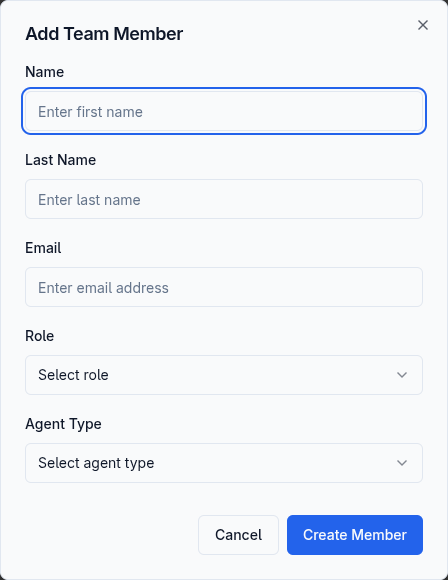
If the activation email is not received, ask the user to check their spam folder. If the account is still pending, admins can resend the activation email from Team or the team member detail page.
User statuses
Section titled “User statuses”| Status | Meaning |
|---|---|
| Active | The membership can access this tenant. |
| Pending | The person has been invited to this tenant but has not verified their account. |
| Suspended | The membership cannot access this tenant but remains part of its billing plan. |
Suspend vs remove
Section titled “Suspend vs remove”Suspend a team member when their access to this tenant should stop but the membership should remain in the tenant record.
Remove a team member when their membership should be removed from this tenant. Removing a membership revokes that tenant’s personal API tokens but does not delete the person’s global account or affect their memberships in other tenants.
Only the account holder can permanently delete their account; see Account management. Suspended memberships cannot access this tenant but are still billed by it.
If a tenant is not on a plan that supports extra team members or AI-assisted agents, Muninx can show an upgrade prompt before allowing those actions.