Tenants and organizations
Muninx separates the support workspace from the companies and people it supports:
- A tenant is a Muninx support workspace. It represents the company or team that provides support.
- A customer organization, often shortened to organization when the context is clear, is an optional record inside a tenant. It represents a company, client, account, or group receiving support.
- An account belongs to a person, not to a tenant. It can have access to more than one tenant.
Tenants and memberships
Section titled “Tenants and memberships”An account accesses a tenant through a membership. A membership defines that account’s role and status in that tenant. The same account can be an admin in one tenant, an agent or customer in another, or have no access to other tenants.
Accounts can create tenants, be invited to tenants, and switch between their accessible tenants. Creating a tenant makes the creator its owner and an admin member. Support work, settings, team management, reports, and billing are scoped to the active tenant.
For example, Northstar Apps can create a tenant for its own support team, invite its agents, and later invite a contractor to help. That contractor can switch between Northstar Apps and another tenant they also support without creating a second account.
Tenant settings include the tenant ID, slug, display name, logo, customer access settings, reply identity, automation, billing, and team management.
See Account management for switching, creating, and leaving tenants.
Customer organizations
Section titled “Customer organizations”Customer organizations exist inside a tenant. Use them when customers should be grouped by company, client, account, or shared email domain.
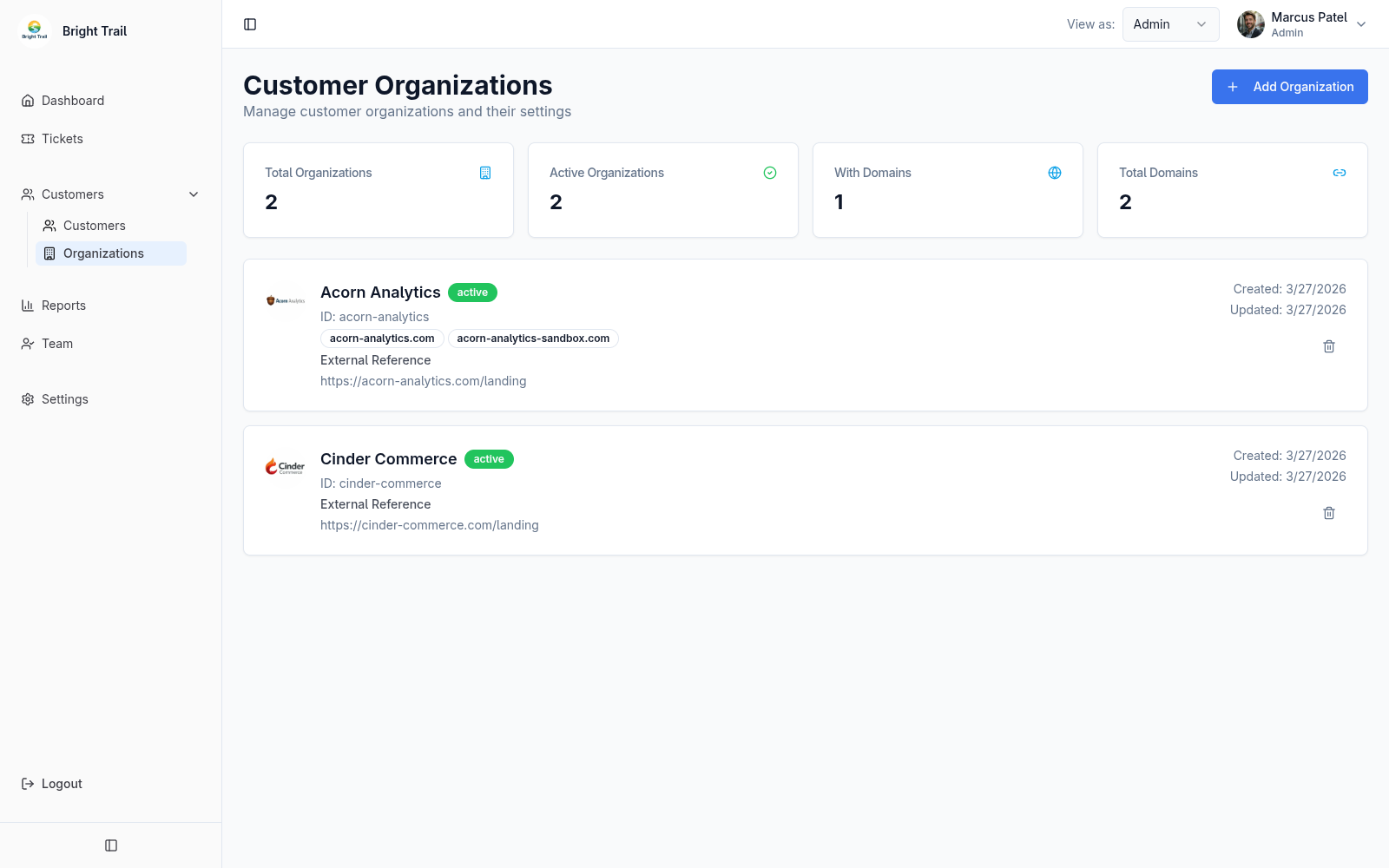
A customer organization can include:
- Display name.
- Domains.
- External reference URL.
- Notes.
- Status.
- Avatar or logo.
Customer organizations are optional. If you support individual customers, consumers, or a small number of accounts that do not need grouping, create customer memberships without assigning an organization.
Domains and restricted email access
Section titled “Domains and restricted email access”When email ticket creation is set to Restricted, emails sent from any domain associated with a customer organization are allowed.
Deleting a customer organization
Section titled “Deleting a customer organization”Deleting a customer organization removes its associated customer memberships from that tenant. It does not delete the customers’ global accounts or their memberships in other tenants.
Ticket organization history
Section titled “Ticket organization history”When a customer creates a ticket, Muninx records the customer’s organization on that ticket at creation time.
If the customer is later moved to a different customer organization, existing tickets stay linked to the original organization. New tickets use the customer’s current organization.
This preserves the historical context of each support request. For example, a customer using a personal email address could change companies later; Muninx should not move tickets created for the first company into the second company’s history.
Customer organization statuses
Section titled “Customer organization statuses”Customer organization statuses include active, pending, suspended, and inactive.
If a customer organization is set to Suspended, customers belonging to that organization cannot log in to that tenant, new customers cannot be added to that organization, and new tickets cannot be created by email for that organization’s domains unless Customer Access Settings is set to Open.