Auto-solve & close
Muninx includes two built-in settings for inactive tickets: auto-solve and auto-close.
For the difference between Pending, Solved, and Closed, see Ticket statuses.
Auto-solve
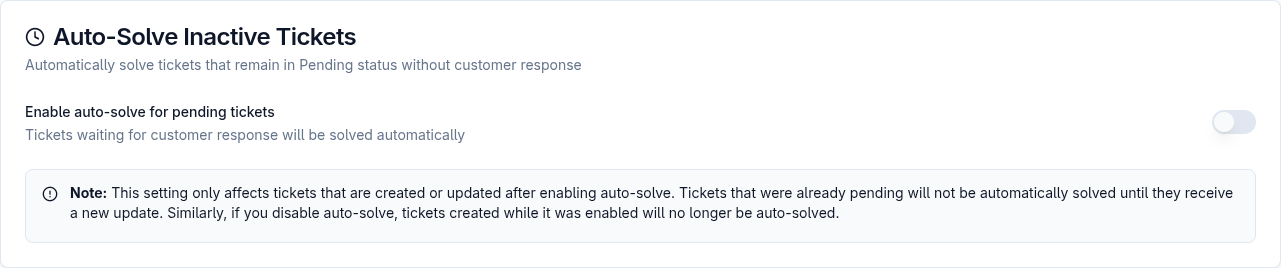
Section titled “Auto-solve”When enabled, auto-solve automatically changes Pending tickets to Solved after the configured number of hours.
When auto-solve is enabled, admins configure:
- Solve after hours.
- Solving message.
- Whether participants are emailed when the ticket is solved.
When participant email is enabled, the solving message is what gets emailed to ticket participants.
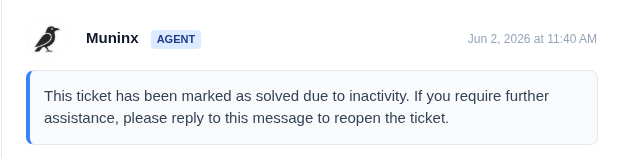
If participant email is disabled, tickets can be solved silently without a notification.
Auto-solve only affects tickets created or updated after enabling auto-solve. If auto-solve is disabled, tickets created while it was enabled no longer continue the auto-solve behavior.
Auto-close
Section titled “Auto-close”When enabled, auto-close automatically changes Solved tickets to Closed after the configured number of hours.

Closed tickets cannot be updated or reopened. Customers need to open a new ticket for further help.
Auto-close does not send a notification to participants.
Users cannot manually set a ticket to Closed from the ticket update or reply controls. They can set a ticket to Solved; closure is handled only by this auto-close setting.