Work your ticket queue
Agents use My Tickets to work their support queue.
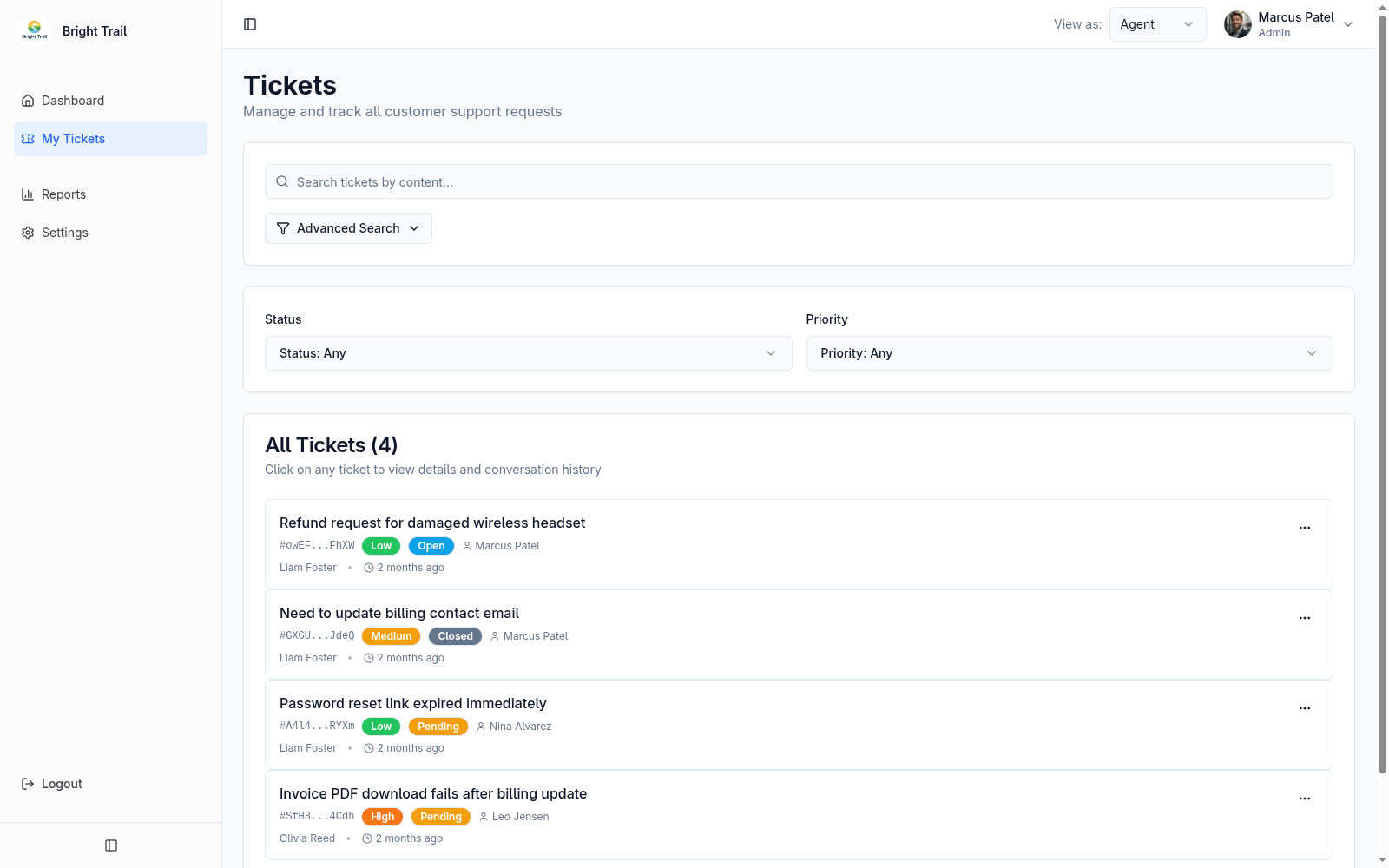
The ticket list shows ticket subject, customer, priority, status, assignee, created time, and updated time.
Filters
Section titled “Filters”Agents can filter tickets by status and priority.
When search is active, Muninx clears status and priority filters so search results are not accidentally narrowed by older list filters.
Search
Section titled “Search”Ticket search can search titles, messages, and internal messages for admins and agents.
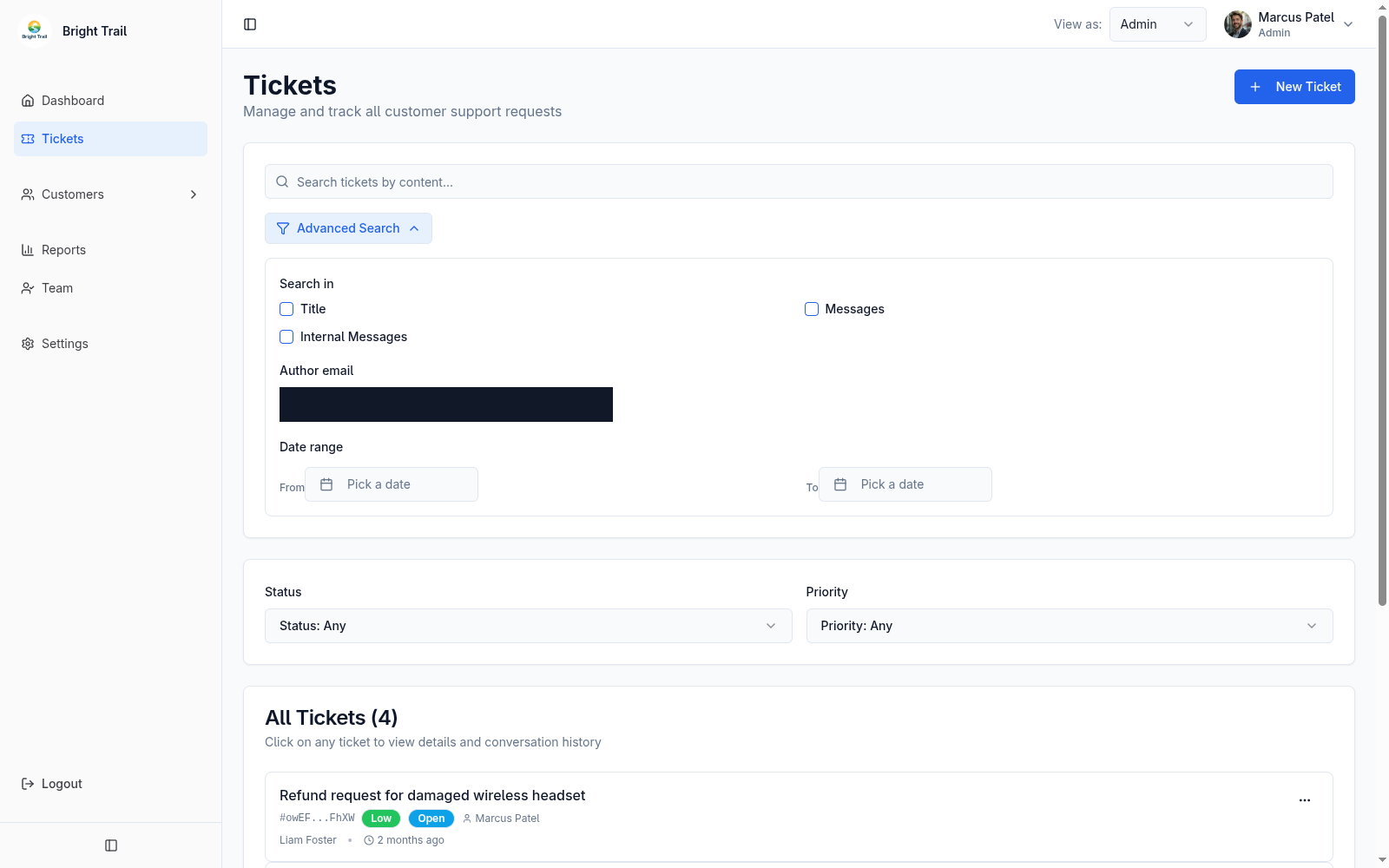
Advanced search supports:
- Search area.
- Author email.
- Created date range.
Search results include matching ticket IDs and preview snippets.