Customer access
Customer access controls how unauthenticated email senders can create tickets.
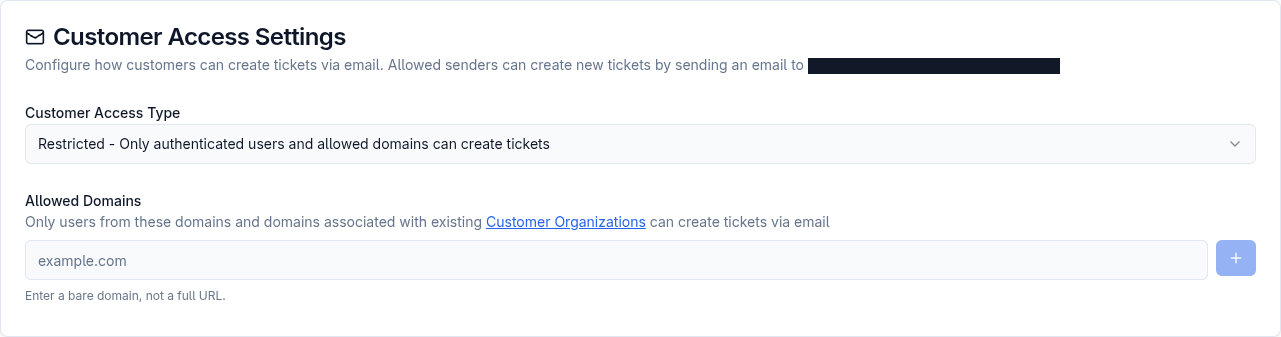
Access types
Section titled “Access types”| Access type | Behavior |
|---|---|
| Open | Anyone can create tickets by email except senders from blocked domains. |
| Restricted | Authenticated users and users from allowed domains can create tickets. Domains associated with existing customer organizations are also allowed. |
| Closed | Only authenticated users can create tickets. Unauthenticated email-created tickets are rejected. |
Restricted is the recommended default for most small teams.
Allowed domains
Section titled “Allowed domains”Allowed domains are used in restricted mode. Enter bare domains such as example.com, not URLs like https://example.com.
Use allowed domains when customers from a company domain should be able to create tickets by email without being manually created first.
Blocked domains
Section titled “Blocked domains”Blocked domains are used in open mode. Senders from blocked domains cannot create tickets by email.
Blocked domains help reduce unwanted tickets when open inbound email is necessary.
Customer organization domains
Section titled “Customer organization domains”Domains added to customer organizations can also allow ticket creation in restricted mode.
This is useful for client, agency, or account-based support where an organization has multiple customers.