Handle a ticket
The ticket detail page is the main workspace for a support conversation.
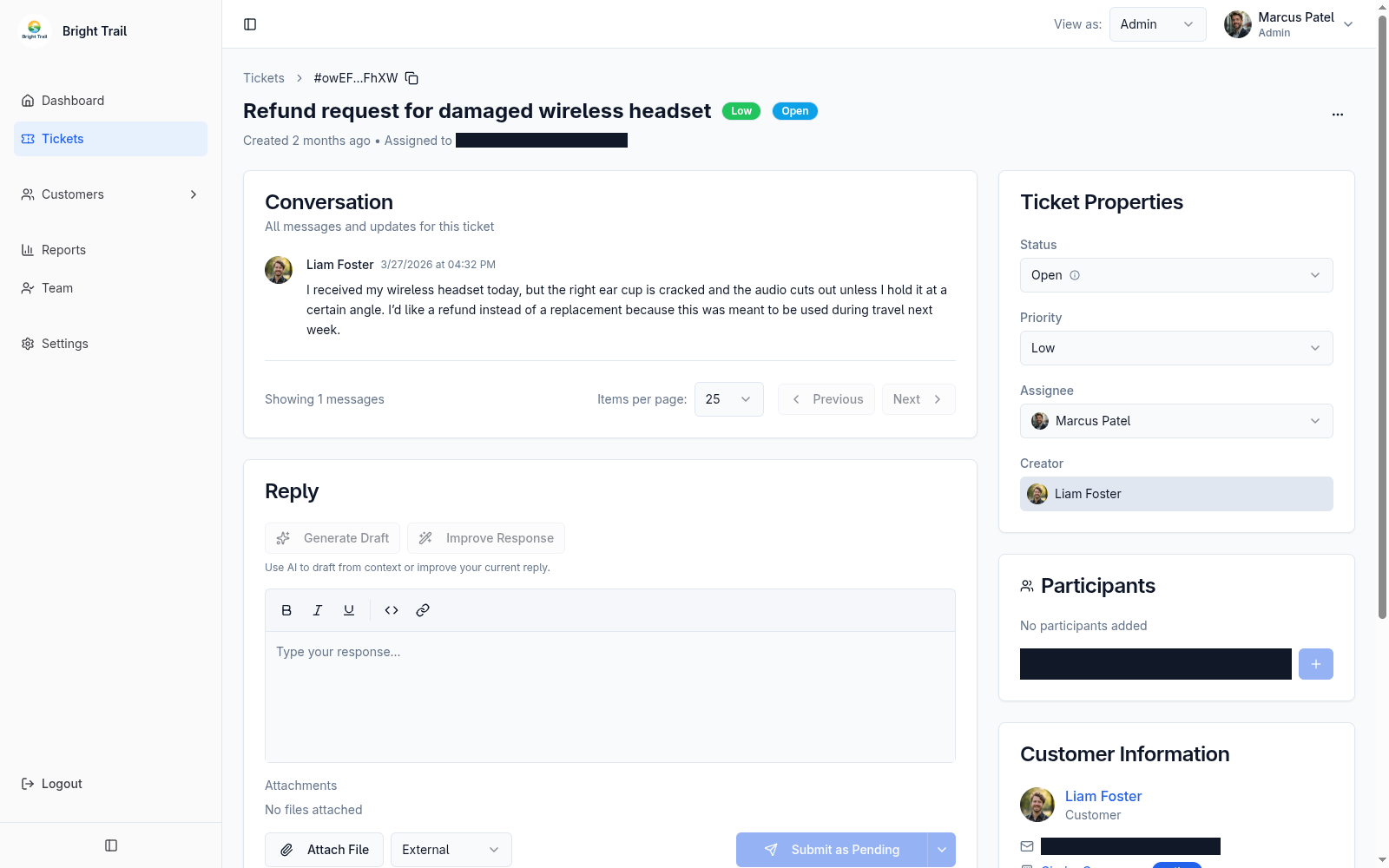
Agents and admins can:
- Read the conversation history.
- Copy the ticket ID.
- Update status.
- Update priority.
- Change assignee.
- Add or remove participants.
- View customer information.
- View customer organization information when available.
- Review ticket-level first reply, average reply, maximum reply, and resolution metrics.
Ticket reply metrics use completed waits from a customer-message block to the first following external agent or admin reply. Internal notes do not count, and an unavailable value means the metric has not been measured. See Metric definitions for examples and edge cases.
Customer organization context
Section titled “Customer organization context”When Muninx can resolve the customer’s organization, agents see the organization in the ticket sidebar.
If the customer organization is inferred from an email domain or the original customer was removed, Muninx may show fallback organization context.
Closed tickets
Section titled “Closed tickets”Closed tickets are read-only. They cannot be updated or reopened.
If the customer needs more help, create or ask the customer to create a new ticket.