Customers
Customers are the people who create tickets, reply to support conversations, and use the customer portal.
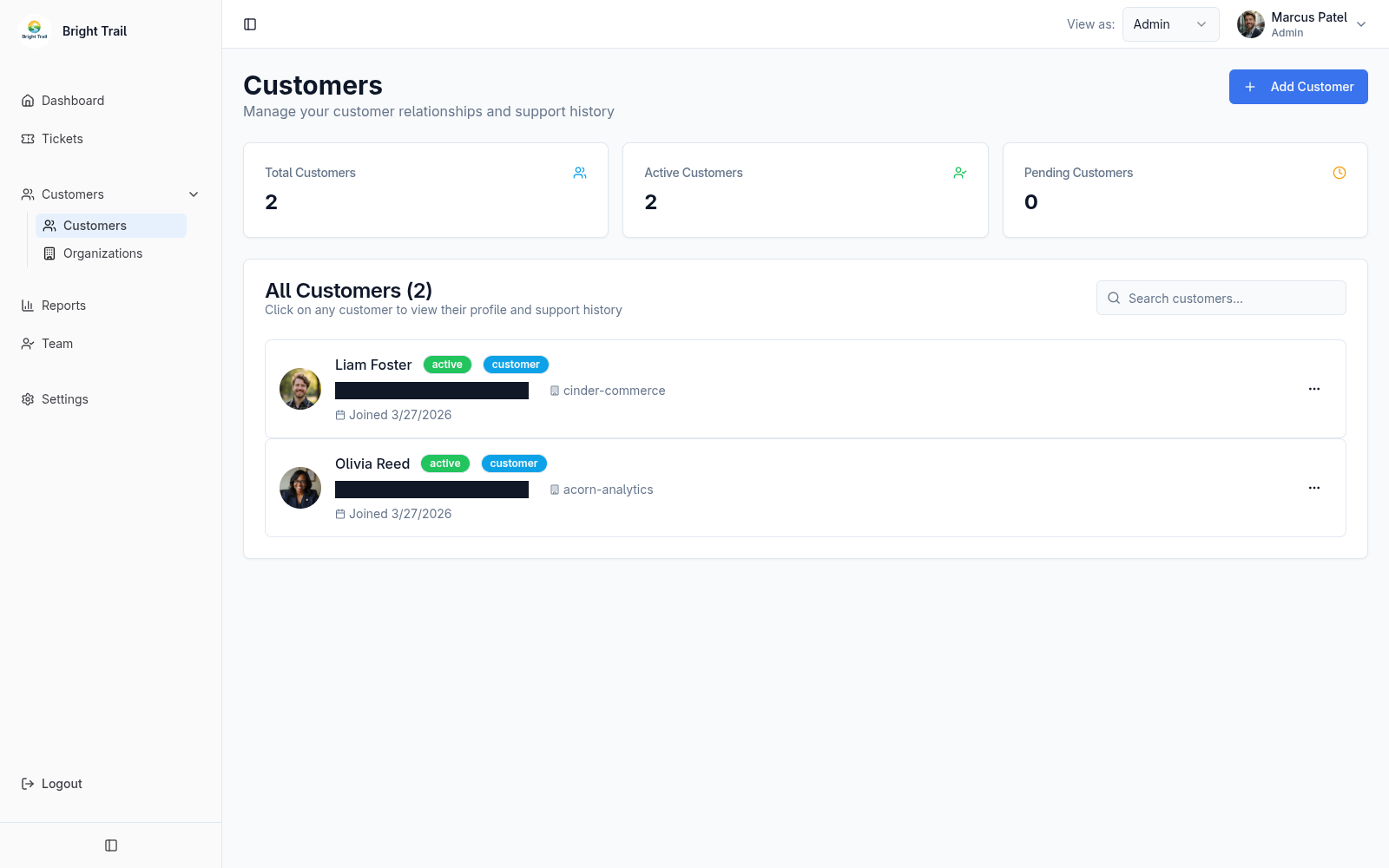
Customer memberships include name, email, tenant-specific status, profile details, and an optional customer organization.
Admins can create or invite customers, resend activation emails, view customer tickets, and remove customer memberships from the current tenant. These actions do not delete a customer’s global account.
Customer invitations
Section titled “Customer invitations”When an admin adds a customer who does not yet have an account, Muninx creates a Pending membership and sends an activation email. An existing account receives access to the tenant immediately.
The membership becomes Active only after they confirm the activation link in that email.
If the activation email is not received, ask the customer to check their spam folder. If the membership is still pending, admins can resend the activation email from the customer record.
Customer organization assignment
Section titled “Customer organization assignment”A customer membership can belong to a customer organization, but this is optional.
Use customer organizations when customers should be grouped by company, client, account, or shared email domain. Leave the customer organization empty when the customer does not need to be grouped with others.
Customer organization assignment affects new tickets. When a customer creates a ticket, Muninx records the customer’s organization on that ticket at creation time. If the customer is later moved to another customer organization, existing tickets stay linked to the original organization and new tickets use the customer’s current organization.
Customer statuses
Section titled “Customer statuses”Customer statuses include active, pending, suspended, and inactive.
Pending customer memberships have been invited but have not confirmed their activation email yet. Active customer memberships can use this tenant’s customer portal when tenant customer-access settings allow it.