Use AI-assisted replies
AI tools are available to admins and agents whose agent type is AI-assisted.
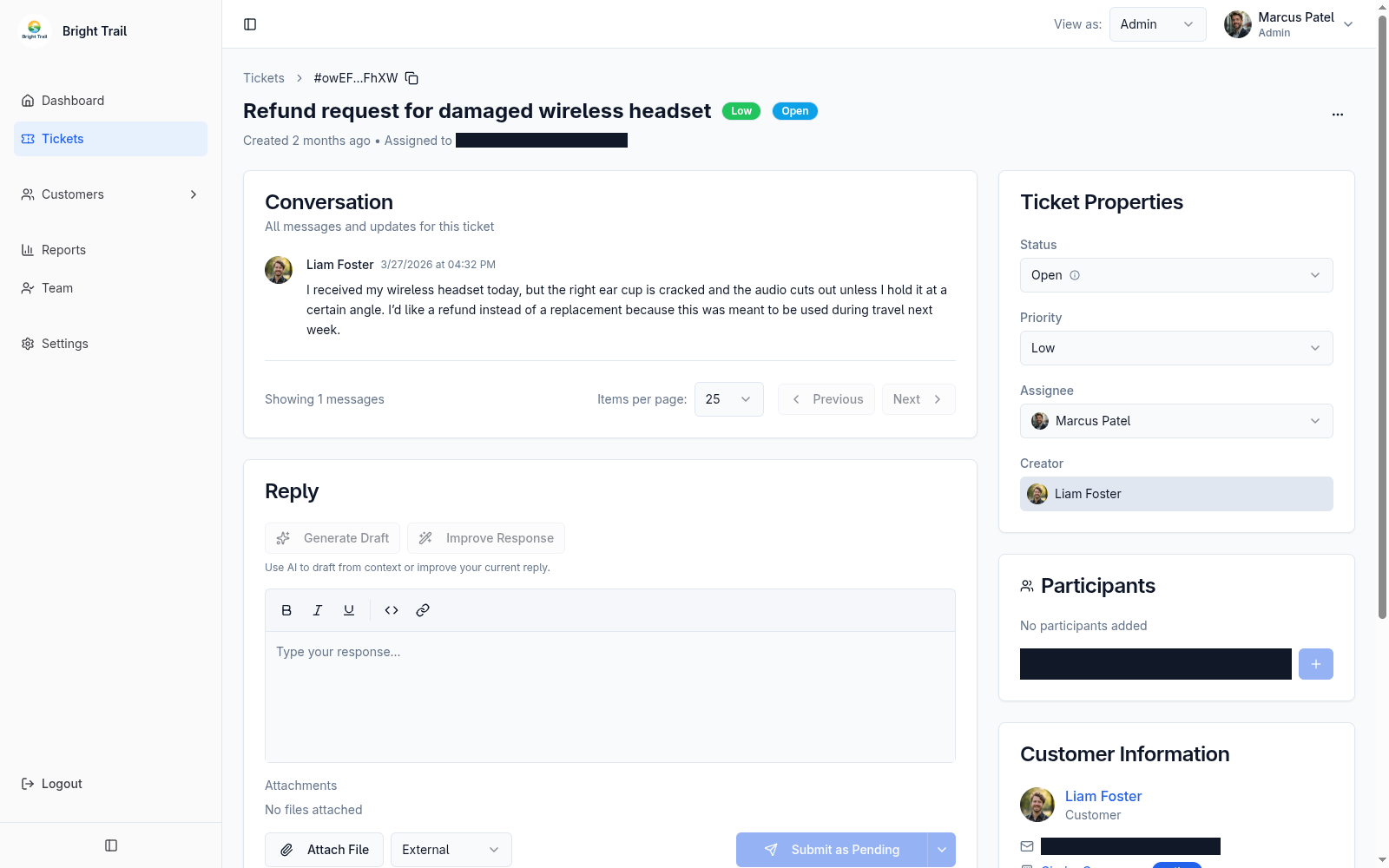
If an agent is not AI-assisted, the AI buttons are disabled and Muninx shows that AI tools require an AI-assisted agent type.
How this differs from MCP
Section titled “How this differs from MCP”AI-assisted replies are focused, built-in tools for drafting or improving the reply for the ticket you are working on. They are available only to AI-assisted admins and agents, and Muninx covers the underlying AI usage cost as part of the AI-assisted agent subscription.
Muninx MCP, ChatGPT, and Smithery are external-AI access paths. They let role-permitted users work with Muninx through a flexible conversational client, including questions across tickets, history, and analytics without opening the Muninx UI. The external client handles AI billing, so this can lower your Muninx cost when you already use that client and have a human agent, but it is not necessarily cheaper overall.
Use AI-assisted replies when you want managed, in-ticket drafting and improvement. Use an external AI client when you prefer its client, model options, or wider conversational workflow.
Generate draft
Section titled “Generate draft”Generate Draft creates an AI-generated reply from the ticket context.
Draft generation can take up to 2 minutes while the AI analyzes the conversation and prepares a response.
AI drafts can include:
- Draft text.
- Confidence percentage.
- Web search indicator.
- Search queries and source URLs when web search was used.
Agents can accept or discard the draft. Accepting a draft places it in the reply editor; the agent still reviews and sends.
Improve response
Section titled “Improve response”Improve Response analyzes the current reply text and suggests a better version.
Muninx shows what the AI changed and the suggested reply. Agents can accept the improvement or keep the original.
Review before sending
Section titled “Review before sending”AI-assisted replies are not autonomous. A human agent reviews and sends the final message.
Fully autonomous AI agents are coming soon.